

VR training for industrial teams
Employees practise operating procedures and responses to abnormal situations in a virtual environment. Instructors monitor the session and review errors with the team.
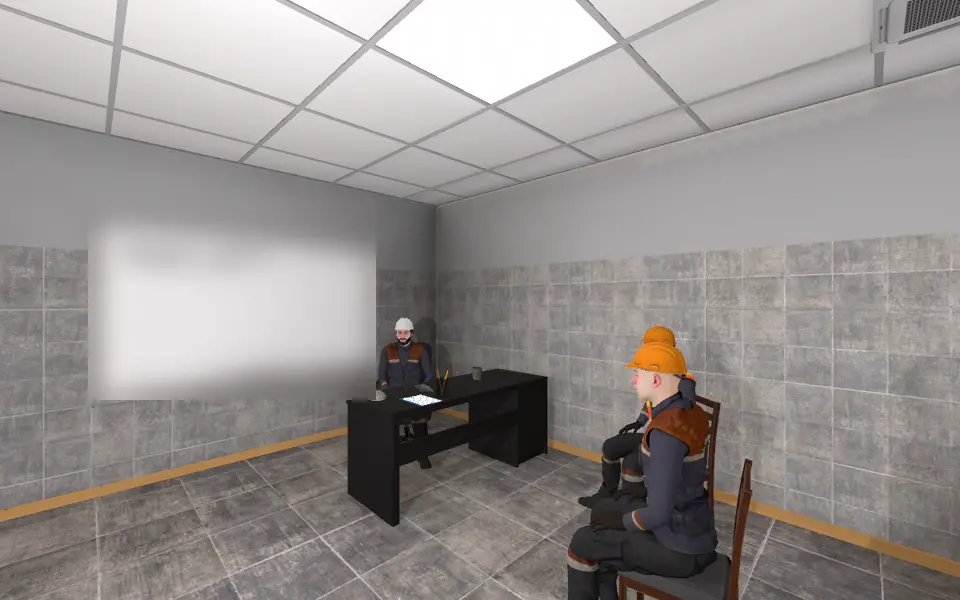
1. Receive a task The foreman issues the task: load a gondola railcar. The participant takes the signaller role and signs the work execution plan.
2. Practise the procedure The participant signals the crane operator: lower the hook, lift the load 200–300 mm, check the slinging, move the load.
- Sign the work execution plancompleted
- Signal the crane operator to lower the hookcompleted
- Signal the crane operator to lift the load slightlycompleted
- Tell the slinger to check the loadcompleted late
- Signal the crane operator to stopnot completed
3. Review the results The simulator marks every action. The instructor opens the report, sees omissions and order errors and reviews them with the participant.
The foreman issues the task: load a gondola railcar. The participant takes the signaller role and signs the work execution plan.
How training works
Every session follows the same pattern: task, practice, control and review.
- 1
Task
The instructor selects a scenario and a role. The participant reads the instructions. During the session they open at the current item.
- 2
Practice
Wearing a VR headset, the participant performs the operation with virtual equipment in the same sequence as at the workplace and answers check questions along the way.
- 3
Control and review
The simulator records completed and missed actions, order errors and answers. The report is saved. The instructor reviews the errors with the participant and sets a repeat session.
Application areas
Each area leads to its case studies. A case may belong to more than one area.
Fire safety
Responding to a fire, using fire-fighting equipment, training and checking the response.
4 case studiesElectrical safety
Switching operations, work with electrical equipment, checking its state and keeping the order of operations.
4 case studiesGas-hazard and confined-space operations
Gas monitoring, responding to gas detector alarms, crew coordination and work in confined spaces.
5 case studiesMetallurgical operations
Process operations and coordinated actions in abnormal situations.
1 case studyLifting and cargo handling
Slinging, giving signals, crane work, moving loads, loading and unloading gondola railcars.
5 case studiesEquipment operation and maintenance
Tyre fitting, mounting a workpiece, the design and assembly of an electric motor, work with a mill.
6 case studiesOccupational safety and first aid
Spotting hazards, using personal protective equipment, work at height, moving around the site, first aid.
9 case studies
Simulator capabilities
What the simulators provide for staff training and training control.
Individual training
An employee completes the session on their own, without connecting to a server.
Team training
Team session over network: each participant performs their own role, with up to five roles in one scenario.
Instructor observation
The instructor joins the session as an observer and follows the participants’ actions.
Recording actions and errors
The simulator marks completed and missed actions, order errors and answers to check questions.
Session report
A report is produced after each session: HTML for viewing and JSON for processing.
Repeat practice
A session can be repeated in full, or the participant can return to the required stage of the scenario.
Instructions during the session
The participant can open the instructions at any time to see what is done, what to do now and what comes next.
Let’s discuss your company’s task
Tell us which operation your employees need to master, what equipment they work with and which situations they need to practise.